Marimo copy button
You can use anywidget to create a copy button for marimo. Anywidget is a framework for creating interactive widgets for Python notebooks (such as Jupyter and marimo).
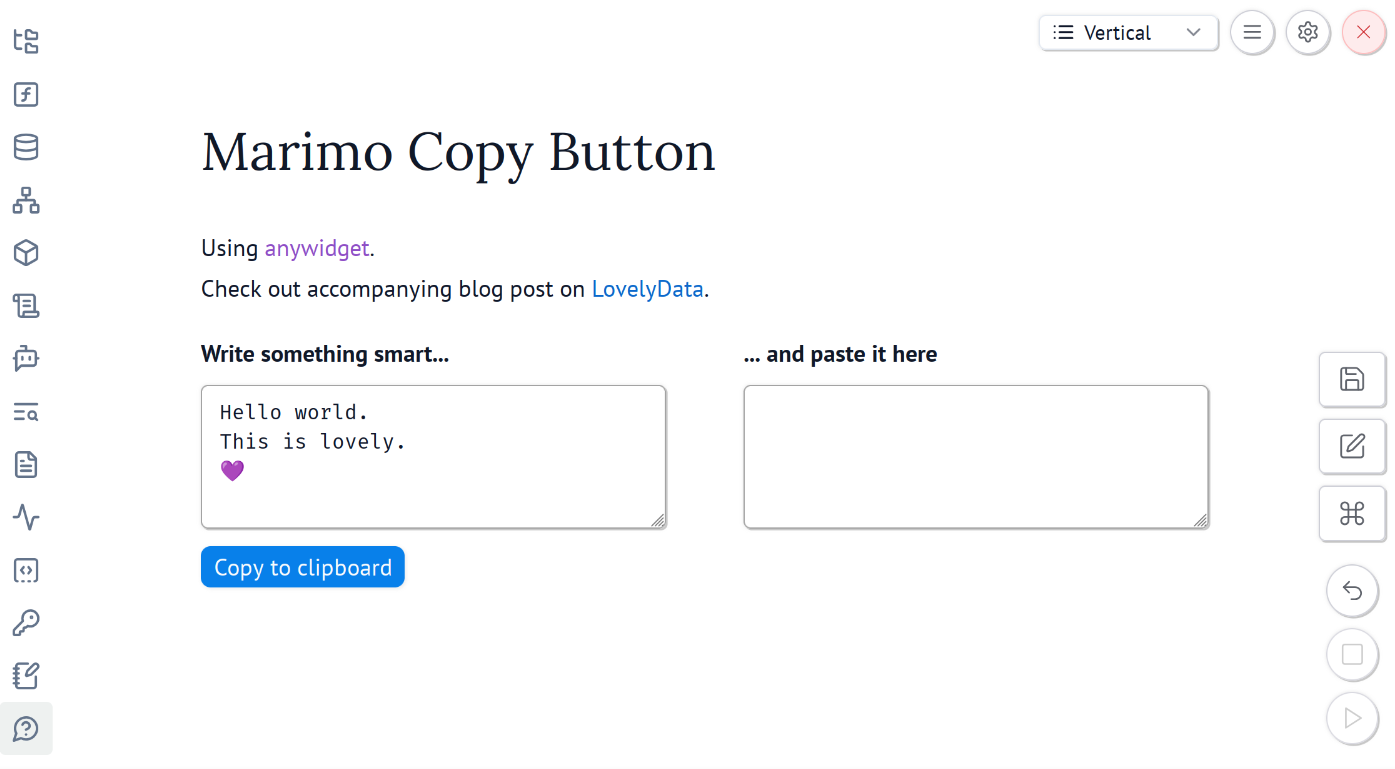
The copy button can copy any Python value – whether it's a hardcoded value or a value from Marimo's UI elements.
Check the code below 👇, download the test Marimo notebook, or see the Hugging Face Space.
1. Import
Import the libraries.
import marimo as mo
import anywidget
import traitlets
2. CopyButton class
Create a class to handle clipboard copying. As you can see, anywidget is a framework that combines Python, HTML, CSS and JavaScript.
Note that we utilize Marimo CSS classes, which use Tailwind CSS. This makes the copy button consistent with the UI.
class CopyButton(anywidget.AnyWidget):
    value = traitlets.Any("").tag(sync=True)
    label = traitlets.Unicode("Copy to clipboard").tag(sync=True)
    _esm = """
    function render({ model, el }) {
        const button = document.createElement("button");
        const buttonText = model.get("label");
        button.innerText = buttonText;
        button.classList.add(
            "font-medium", "bg-primary", "text-primary-foreground",
            "hover:bg-primary/90", "shadow-xs", "border",
            "border-primary", "h-7", "px-2", "rounded-md", "cursor-pointer")
        el.appendChild(button);

        // Add event listener to the button
        button.addEventListener("click", async () => {
            const valueToCopy = model.get('value');
            try {
                await navigator.clipboard.writeText(valueToCopy);
                button.innerText = 'Copied!';
            } catch (err) {
                console.error('Failed to copy text:', err);
                button.innerText = 'Error copying!';
            } finally {
                setTimeout(() => {
                    button.innerText = buttonText;
                }, 2000);
            }
        });
    }
    export default { render };
    """
Copy to clipboard
Create a button using the class. You can make multiple copy buttons.
When the user clicks the button, the value is copied to the clipboard, and the button label briefly changes to Copied!.
CopyButton(
	value="Do you like copying?",
	label="Copy to clipboard"
)

You might also be interested in
Blog

Stop blaming the model, start asking better questions
How we build single purpose apps with AI