
Marimo: is building data apps easier now?
Marimo's tagline on their homepage used to be The future of Python notebooks. It's been recently changed to The unified development environment for AI and data.
While this likely better describes what Marimo is, it sounds a bit bland. This is a pity, as it doesn't tell the whole story. Marimo is more than just that.
AI Summary
- Marimo offers a compelling blend of data analysis, presentation, and app development in a reactive and intuitive manner. Its strengths lie in seamless SQL-Python integration, responsive UI components for data-driven web apps, and the inherent power of turning notebooks into dynamic and interactive presentations.
- Marimo distinguishes itself by its unique reactive approach, where defined variables update automatically across the notebook. This, coupled with a user-friendly SQL integration and out-of-the-box UI components, simplifies data app creation, even for intricate visualizations and tools. The emphasis on simplicity and a single-file environment (
.pywith inlined dependencies) makes Marimo ideal for reproducible and shareable data-centric projects.- Marimo's evolution extends beyond traditional notebooks, empowering users to build interactive tutorials, dynamic data narratives, and experimental interfaces. Its integration with AI (via APIs or local models) further enhances exploration and coding workflows. The choice of browser-native (WASM) or server-based deployments caters to diverse hosting needs, ensuring a broad spectrum of data-driven application possibilities.
One tool, three uses
Marimo offers:
- Python and SQL notebook
- Presentation tool
- Data app builder
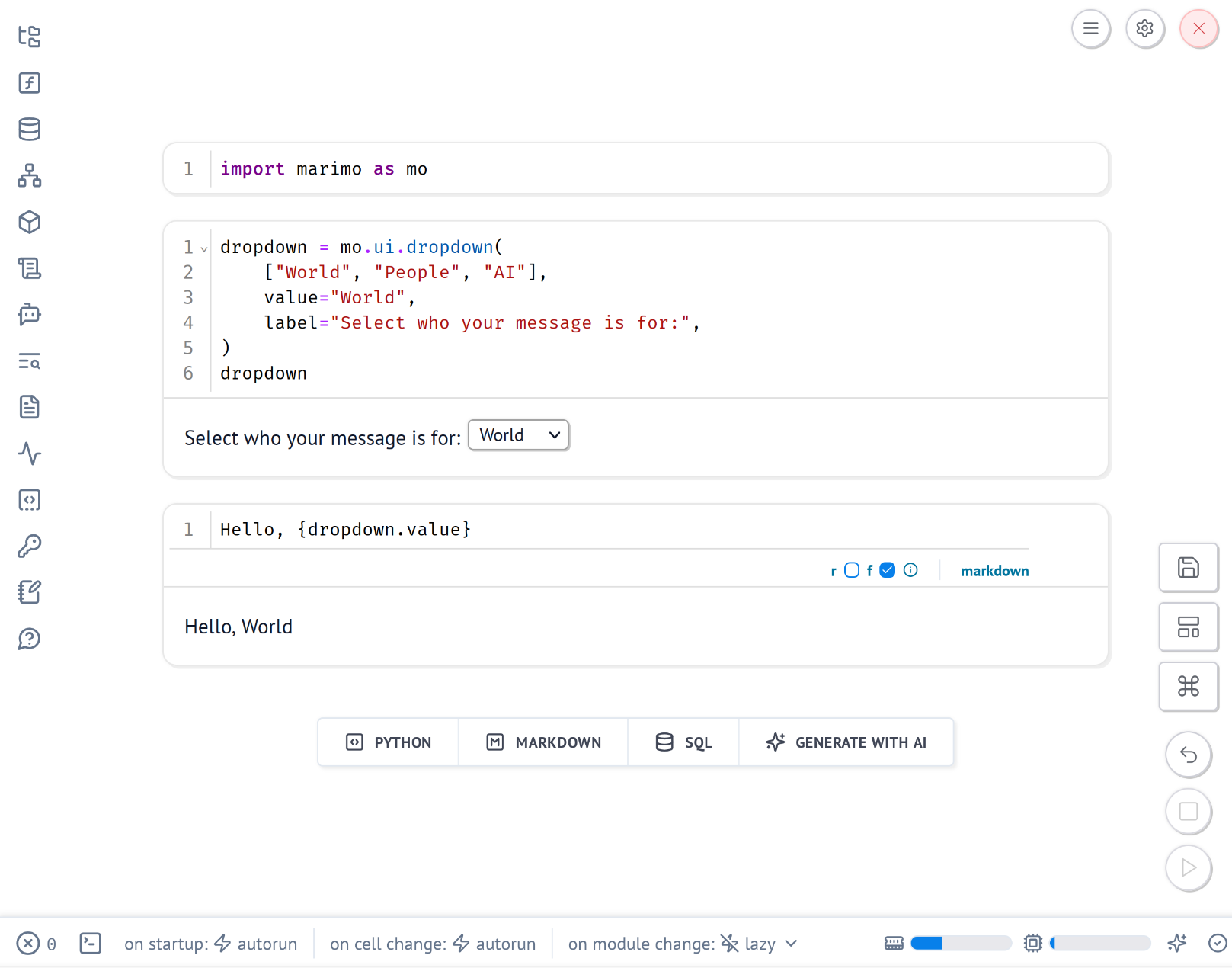
Let's explore each part.
Everyday tool for data
Marimo is a daily driver for data work. It feels like a notebook. Most data professionals already know the iterative workflow notebooks support.
It includes interactive UI components: tables, plots, markdown blocks, inputs, and sliders. LLM integration is available for AI assistance. Hint: Always verify AI outputs to avoid hallucinations.
After exploring and cleaning data, the same notebook can become a presentation or a shareable app. It's one step from analysis to delivery.
Notebooks, but reactive
Marimo isn't a Jupyter clone. It looks like a notebook but operates reactively.
What does reactive mean?
Define a variable in one cell, and it updates automatically wherever used.
Redefining it in another cell isn't allowed.
This is intentional.
This can feel odd if you're used to Jupyter's flexibility. Once mastered, it enables rapid UI creation. Dropdowns, sliders, and buttons work seamlessly.
To manage UI state, use marimo's state. Alternatively, wrap logic in functions to avoid global variables.
Install packages from the notebook
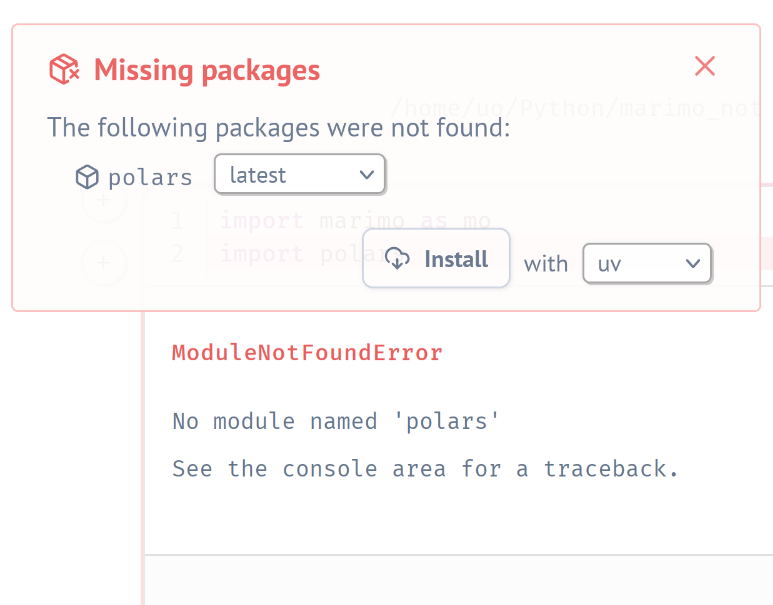
Marimo simplifies package management. Try to import a missing package, and a prompt suggests installing it. Click to install without leaving the notebook.
No need to switch to a terminal or guess package names. Marimo handles it in the background. It's a small feature that streamlines workflows.
SQL integration
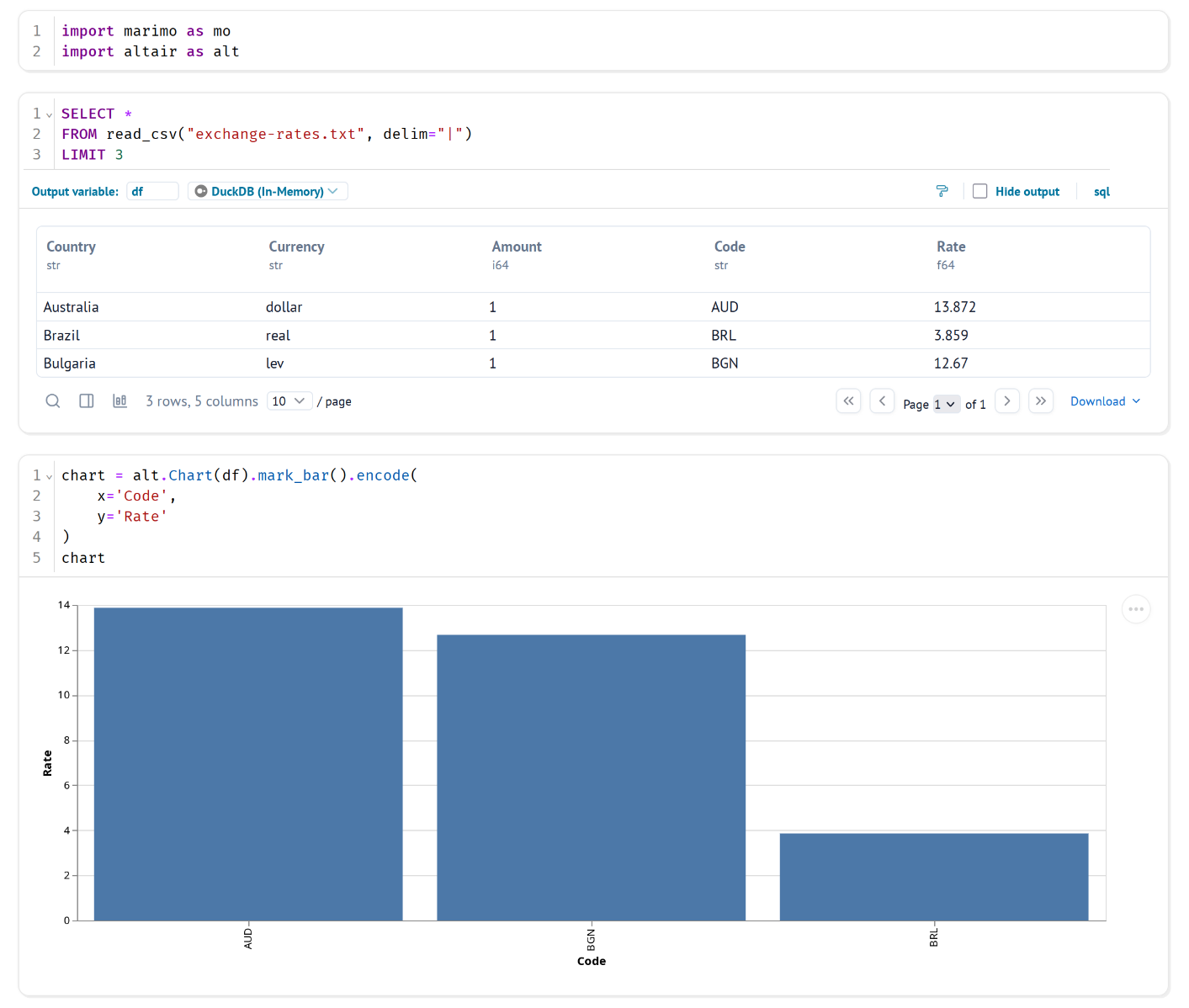
Marimo supports SQL alongside Python. Run SQL queries directly in the notebook. Connect to databases like SQLite or DuckDB, or query in-memory dataframes. Results integrate with Python for further analysis or visualization.
This makes Marimo versatile for data pipelines combining SQL and Python.
Data apps on mobile
Marimo apps are responsive and work on mobile devices. Interactive elements like sliders and dropdowns function well on touchscreens. WebAssembly (WASM) mode ensures apps run entirely in the browser, ideal for mobile users without server dependency.
However, heavy apps with large libraries or datasets may load slowly on mobile due to browser limitations. For complex apps, server mode offers better performance but requires a backend.
Test apps on mobile to ensure usability, especially for large datasets or complex visualizations.
Slides for presentations
Marimo transforms notebooks into slide decks. Each cell can be a slide. Present directly from the notebook with live, reactive elements.
Select a value from the dropdown…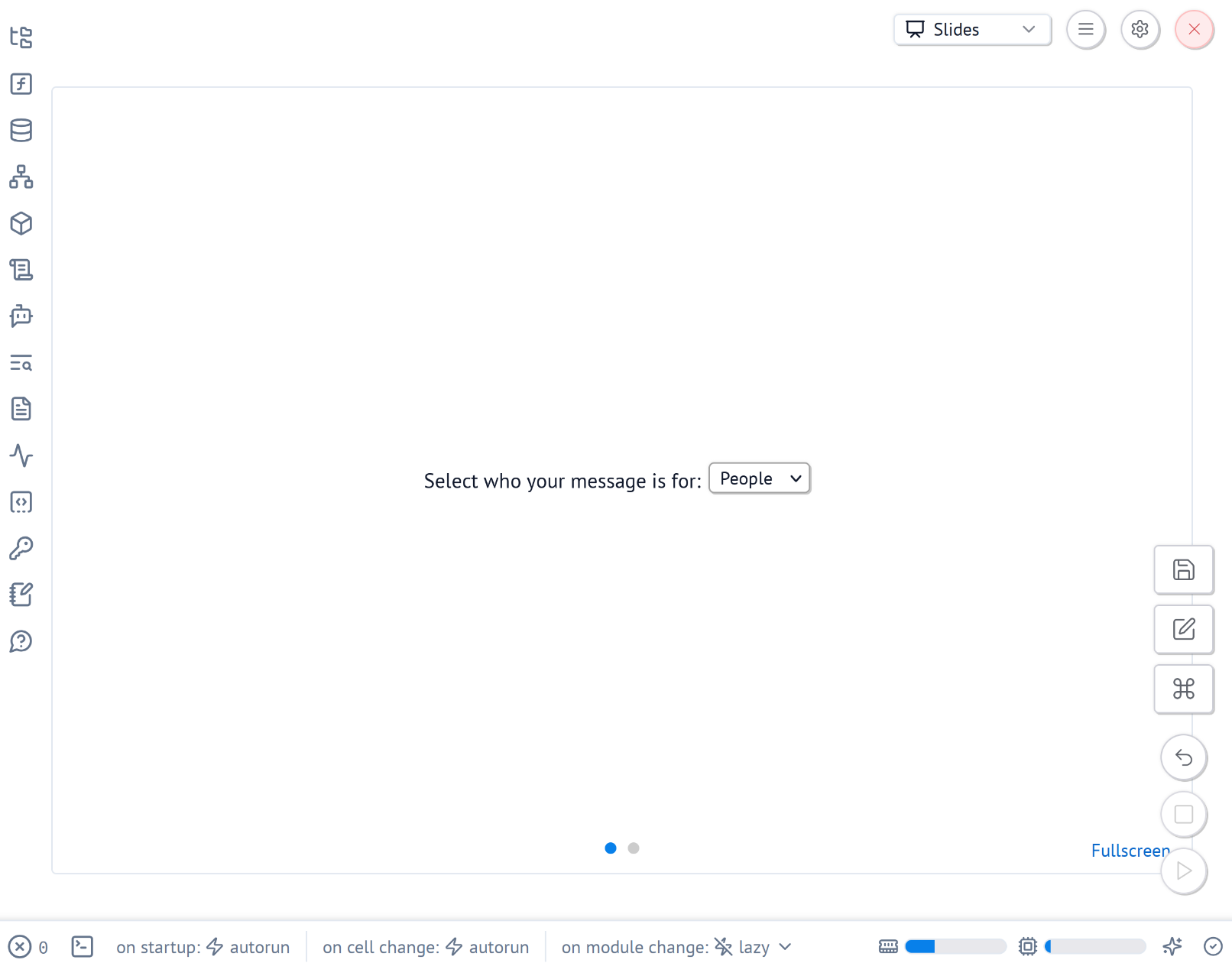
…and it updates instantly on the next slide.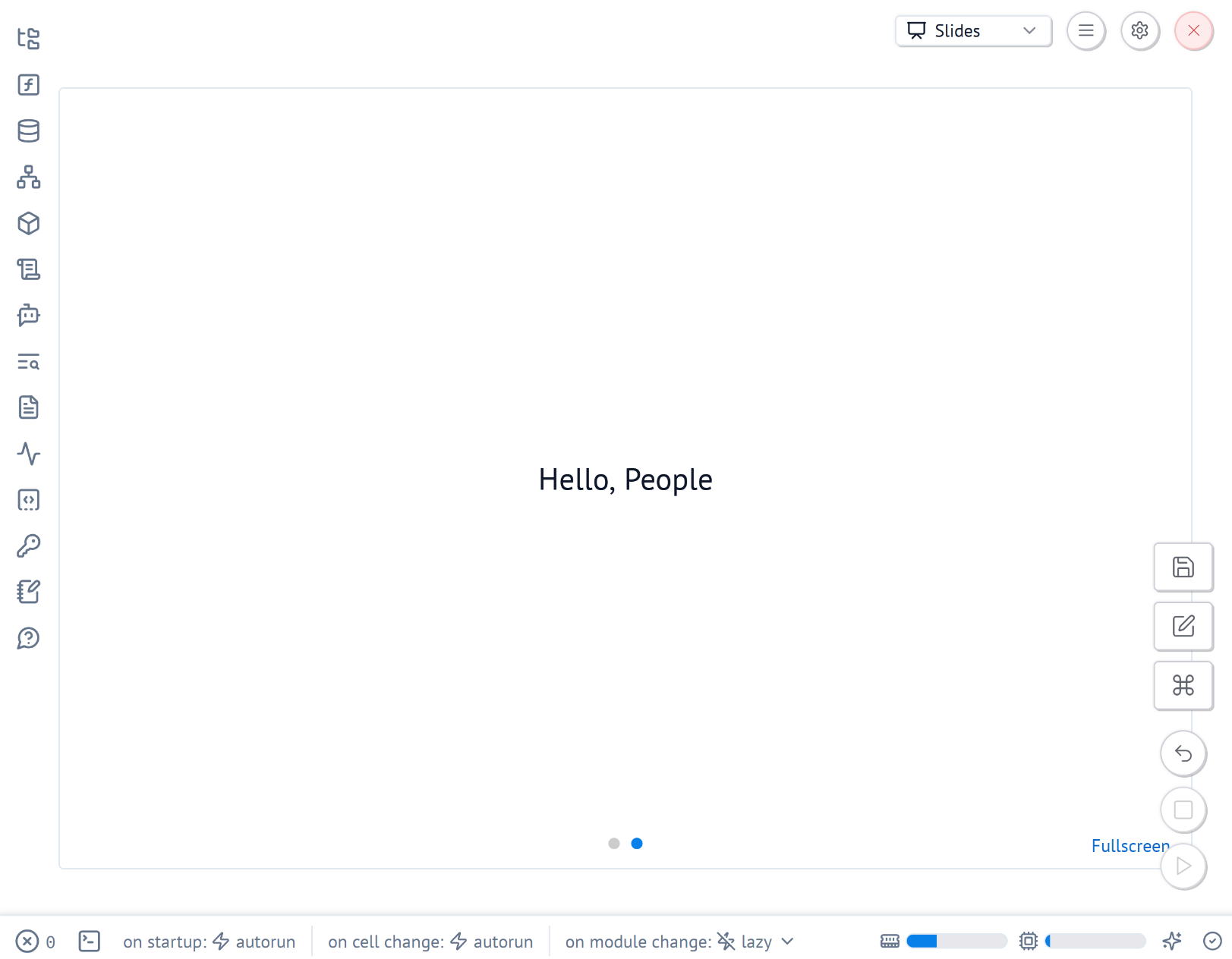
This enables dynamic presentations with live data. No static screenshots needed. Everything lives in one file.
Solid data app builder
Many tools exist for data apps: Streamlit, Gradio, Dash. Marimo stands out with its simplicity.
At LovelyData, we use Marimo to build data-driven web apps. By data apps, we mean shareable tools that visualize, transform, filter, or present data cleanly.
Marimo integrates with SQL, Python, and countless Python libraries. Examples include:
Its flexibility lets you create custom components for unique use cases, from eval tools to interactive dashboards.
Data apps in one file
Marimo notebooks are standard .py files.
No .ipynb JSON complexity.
Marimo supports PEP 723, allowing dependency declaration inside the file.
Example:
# /// script
# requires-python = ">=3.12"
# dependencies = [
#     "duckdb==1.3.1",
#     "marimo",
#     "pandas==2.3.0",
# ]
# ///
This keeps code, UI, and environment in one place. It's ideal for reproducibility and sharing.
Ready-made UI
Data apps need standard UI elements: inputs, buttons, checkboxes, tables, file uploads. Marimo provides these out of the box. Need more? Create custom components with AnyWidgets for tailored solutions.
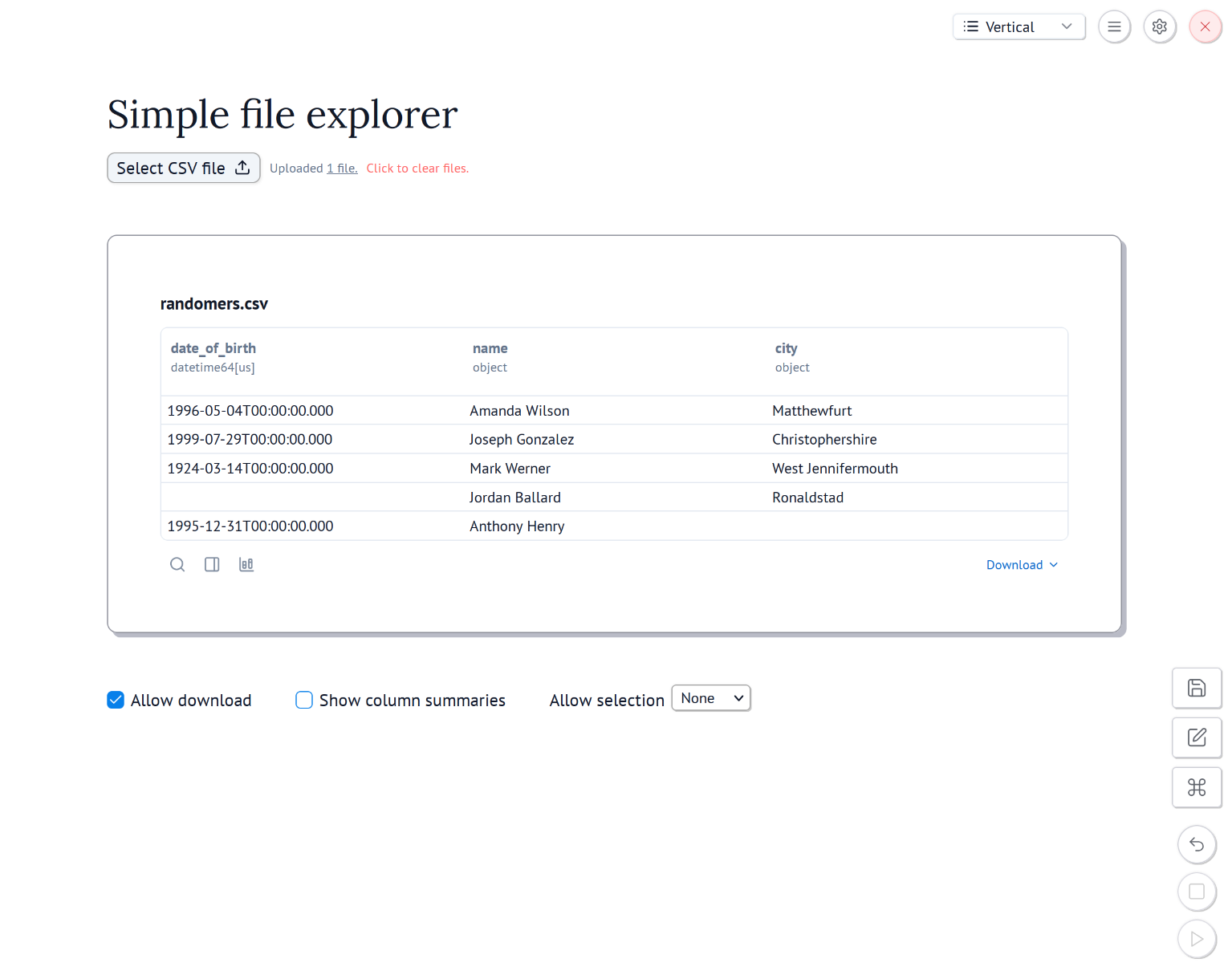
The design is minimal and clean. It keeps focus on the data, not flashy styling. Components integrate smoothly due to reactivity.
Python or WASM?
Marimo apps run in two modes:
- Browser mode (WASM): Runs in the browser using Pyodide (Python compiled to WebAssembly).
- Server mode: Python runs on a backend server, with clients connecting via browser.
Running in a browser
WebAssembly mode needs no server. Share a link or host as a static page. Everything runs in the user's browser. This is great for security and privacy.
Try it at marimo.new.
Downsides?
Heavy libraries slow down loading, especially on weak connections.
Browsers limit memory, so large datasets or complex apps may struggle.
Running on a server
Server mode suits large datasets or users with slow internet. Marimo offers multiple deployment options.
Serve a single notebook or a folder of notebooks dynamically.
Performance comparison
A simple file explorer app highlights differences between modes.
| Browser (WASM) | Server |
|---|---|
 |  |
| Higher data transfer and slower load times. | Lower data transfer and faster load times. |
AI integration
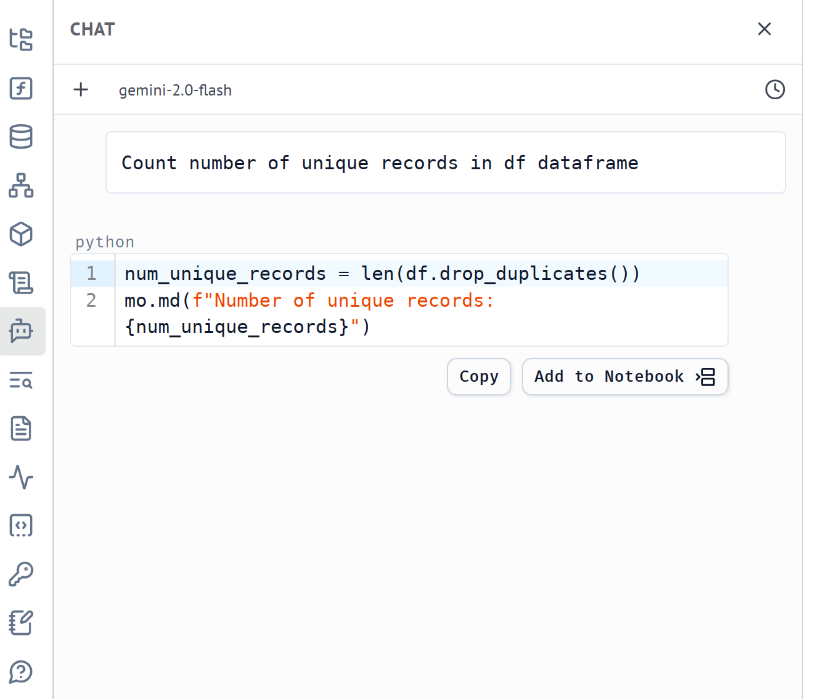
Marimo supports AI via LLM APIs or local models. Generated code can be copied or added directly to the notebook. It's a productivity boost for coding and exploration.
Imagination unleashed
Marimo's flexibility lets you push beyond traditional notebooks. Create interactive tutorials that guide users through data. Build dynamic data stories that engage viewers. Design experimental interfaces for unique visualizations. Marimo's reactivity and UI components make these ideas simple to execute. Turn your notebook into a tool that inspires and informs.
Conclusion
Marimo doesn't replace every tool. For small-to-medium data apps, it balances simplicity and power. It's a notebook, a presentation tool, and an app builder - all in one. It evolves rapidly, and updates are published frequently.
If you love Python notebooks and want interactive, shareable apps, try Marimo. Your imagination is the limit.

You might also be interested in
Blog

Stop blaming the model, start asking better questions

How we build single purpose apps with AI